Chart Maker
Build interactive charts in your browser. Pick a template, edit it visually, then export or publish. No code required.
Free to start · no account needed to try · export anywhere
All of amCharts. None of the code.
60+ Templates
Line, column, pie, maps, Sankey, treemap, gauges, word clouds, candlesticks and more. Every template is a working chart — start there, make it yours.
Visual Editing
Axes, series, ranges, legend, cursor, scrollbars, tooltips — every setting is a control in the sidebar. Change it, see it update instantly.
Your Data, Your Way
Type values into the built-in data grid, add rows and columns, or import a CSV. The chart redraws as you go.
Themes & Backgrounds
20+ built-in themes — Dark, Material, Colorblind, Pastel, Patterns and more. Add an image background. One click, whole new look.
Export Anywhere
Download a PNG or SVG image, a self-contained HTML file or the JSON config. Drop it on any page (the <am5-chart> element shows a JSON config with no code), hand it to a developer, or open it in Chart Maker again later.
Edit Demos In-Place
Many demos on amcharts.com have an "Open in Chart Maker" button. Click it and the demo opens there, ready to customize. No copy-paste.
Three steps. No setup.
Pick a template
Browse 13 categories. Every template is a finished, interactive chart you can start editing right away.
Edit visually
Swap in your data, toggle features, pick a theme, tweak colors and labels. Everything updates live.
Export or publish
Download PNG, SVG, HTML or JSON for free. With amCharts Pro, publish to a live link, embed it anywhere and export PNG and SVG without the amCharts credit.
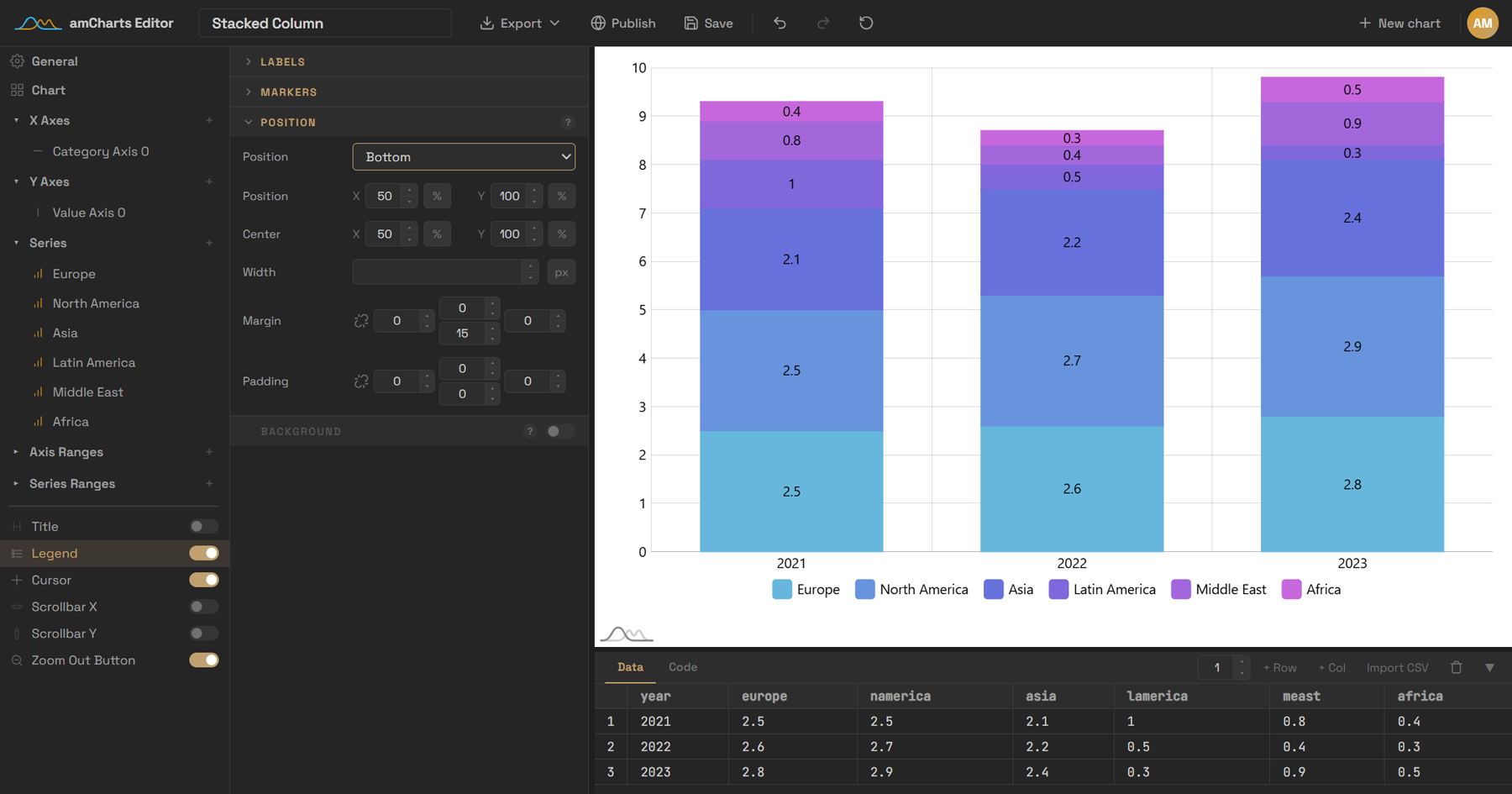
Settings on the left, live chart in the middle, your data underneath. Every change shows up instantly.
Change anything. Watch it happen.
This is the idea behind Chart Maker: every option is a control, and every change is instant. The real thing has hundreds of settings across axes, series, legends, tooltips and themes — here's a small taste.
Switch the chart type, toggle the legend, try a palette. The same data, restyled without touching a line of code.
75 templates.
13 categories.
Chart Maker covers the vast majority of what amCharts 5 can draw — basic charts, statistical charts, maps, hierarchies, flows, gauges, financial charts, timelines and word clouds. Each one is a fully working starting point.
One link. Any page.
With amCharts Pro, hit Publish and your chart gets a live, public page at chart.amcharts.com/your-handle/chart. Share the link, or embed it — still fully interactive, with no amCharts credit.
Copy the iframe snippet for any website. Or, on platforms that support oEmbed — WordPress, Ghost, Notion and others — just paste the link and it embeds itself. Update the chart in the editor and every embed updates with it. Unpublish anytime.
Start free. Upgrade when you need more.
Free: every template, setting and export, with up to 5 saved charts (10 MB). amCharts Pro, $9/month or $90/year: unlimited saved charts, 1 GB of storage, publishing, PNG and SVG exports without the amCharts credit and priority support, with the same account in the SVG and Pixel Map Generators. Compare the plans
Built by the people who build amCharts.
Chart Maker is created and maintained by the amCharts core developer team — the same people who write the charting library it runs on. Not a wrapper, not a third-party plugin.
That means every new amCharts 5 feature shows up in Chart Maker, every template is idiomatic, and what you export is the same code we'd write ourselves.
Straight answers, no fine print.
Do I need an account?
Not to try it. Open any template and start editing. Saving, exporting all your charts and publishing need an account — sign up with email, Google or GitHub.
Is Pro an amCharts license?
No, it is a plan for the online tools. With it, PNG and SVG exports and published charts carry no amCharts credit. Building charts into your own site or software in code is covered by the free amCharts license (the amCharts logo stays on), or a commercial license.
What if I cancel Pro?
Nothing gets deleted. Your charts stay saved and editable. Published pages stay online for a 30-day grace period, and you can re-publish anytime by upgrading again. Charts you exported without the credit stay free to use without it.
Can I get my data out?
Always. Export any chart as PNG, SVG, HTML or JSON, or download your whole account — every chart included — as a ZIP from the Account page.
Looking for the old editor?
Chart Maker is the current editor, built for amCharts 5. The previous version is still available at live-v3.amcharts.com.
Is my data private?
We collect the minimum needed to run the service and never sell it. Charts are public only when you choose to publish them. See the Privacy Policy.
More questions? Read the full FAQ
Outgrow Chart Maker? Keep the chart.
Every chart you build is a standard amCharts 5 config. Export it, hand it to a developer, and pick up right where Chart Maker leaves off — with the full library behind you. Explore amCharts 5